
In this guide
Reader-supported: we may earn a commission from links on this page. Full disclosure
Updated: October 2026 · Researched from manufacturer specs, safety standards and public buyer reviews.
Once you have two kids in two rooms, the baby monitor question changes. You don't just need a good camera; you need to see and hear both children without juggling. And many parents prefer a non-WiFi monitor: no app, no cloud account, no internet connection to worry about, and no Wi-Fi drop-outs at 3 a.m.
The catch is that most non-WiFi monitors only show one camera at a time and switch between rooms. This guide covers the options that handle two kids best.
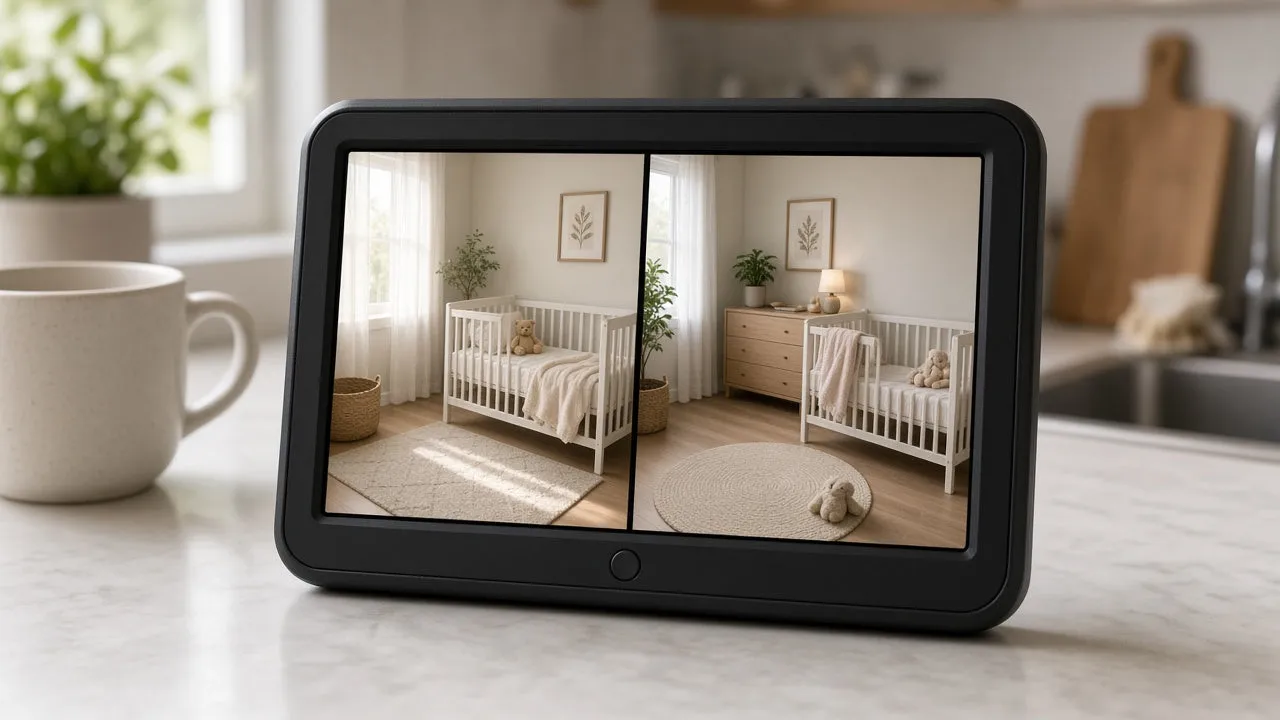
The short answer: the Infant Optics DXR-8 PRO SS is the best non-WiFi monitor for two kids because it shows both cameras on a split screen and plays audio from both rooms at once. If you already own a DXR-8 PRO, add a second camera. For the lowest cost, the VTech VM819-2 covers two rooms with patrol mode.
Safety first: Mount cameras so the cord stays at least 3 feet from any crib or bed, and never place a camera inside the crib. A monitor doesn't replace safe sleep practices.
Quick picks
Infant Optics DXR-8 PRO SS (Split Screen, 2 cameras)
- Two-camera viewing
- Split screen · dual audio
Infant Optics DXR-8 PRO + add-on camera
- Two-camera viewing
- Scan mode · up to 4 cameras
VTech VM819-2 (2 cameras)
- Two-camera viewing
- Patrol mode · 2.8" screen
Comparison at a glance
Specs and prices come from Infant Optics and VTech product pages (checked October and November 2026).
| Feature | DXR-8 PRO SS | DXR-8 PRO + add-on | VTech VM819-2 |
|---|---|---|---|
| Cameras included | 2 | 1 (add-on sold separately) | 2 |
| Two-camera view | Split screen | Scan mode | Patrol mode (about every 10 s) |
| Audio from both rooms | Simultaneous | From the camera on screen | From the camera on screen |
| Screen | 5 in., 720p | 5 in., 720p | 2.8 in. |
| Max cameras | 4 | 4 | Check maker |
| WiFi / app | None | None | None |
| List price (checked) | $299.99 (2 cameras) | $199.99 + $99.99 add-on | Lowest of the three |
What matters for two kids
Split screen vs scan mode
This is the biggest difference. Split screen shows both cameras on one display. Scan or patrol mode cycles between them, so you might miss a moment in the room that's not on screen. If both kids wake up often, split screen saves a lot of button pressing.
Audio from both rooms
Many parents rely on sound more than video. Monitors that play audio from all cameras at once let you hear either child without switching. Check the manual: some scan-mode monitors only play audio from the camera on screen.
Screen size
Split screen halves the picture for each child, so a bigger display matters. A 5-inch screen works for two feeds; a small screen makes each view tiny.
Expandability
If a third child or a playroom camera might be in your future, check how many cameras the parent unit supports. The DXR-8 line supports four.
Range and interference
Non-WiFi monitors use a direct radio link. Range drops through brick, concrete, floors and long distances. Test in your home during the return window, especially if bedrooms are on different floors.
Why choose non-WiFi?
- Privacy: No internet connection or cloud account for the video feed.
- Reliability: No app updates, router issues or internet outages.
- Simplicity: Plug in, pair, done. Easy for grandparents and sitters.
- No subscriptions: Every feature works out of the box.
The trade-off is that you can't check in from your phone or away from home, and you don't get sleep analytics. If those matter, see our Nanit vs Owlet comparison.
How we picked
We did not buy or test these monitors. This guide follows our standard research method:
- Started with the searches. Parents searching for "non-WiFi baby monitor two cameras" and "split screen baby monitor" want to watch two kids without an app.
- Pulled specs from the makers. Screen size, camera count, split screen, audio and prices come from Infant Optics and VTech.
- Read owner reviews. We looked for patterns in range, battery life, image quality and switching between cameras.
- Applied safety guidance. We used AAP safe sleep guidance and CPSC warnings about monitor cords.
How we score: SproutPicks Scores are our own editorial ratings, based on published specs, safety certifications and standards, and patterns across verified owner reviews. We don't hands-on test every product, and these scores are not Amazon ratings. Nursery scores include sub-scores for Safety, Value and Ease of Use.
Infant Optics DXR-8 PRO SS (Split Screen, 2 cameras)
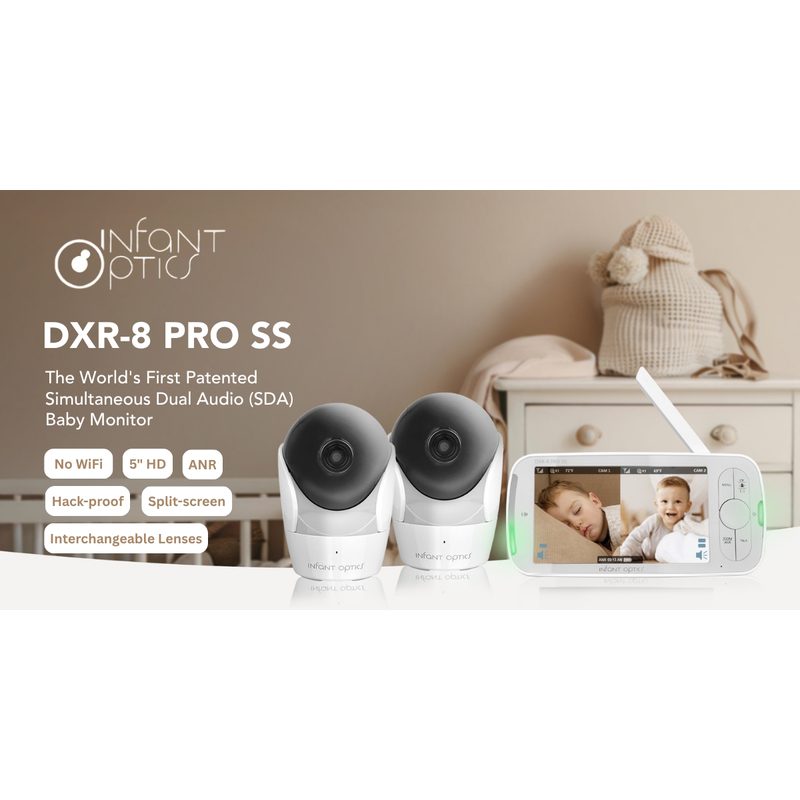 Image: Infant Optics
The DXR-8 PRO SS is Infant Optics' split-screen version of its popular non-WiFi monitor. Infant Optics lists it at $299.99 with two cameras included, a 5-inch 720p parent display that shows both cameras side by side, and simultaneous audio from both rooms. It supports up to four cameras.
This matters for two kids. With most non-WiFi monitors you have to scan between cameras or pick one to watch. Split screen plus dual audio means you can see and hear both children at the same time, without switching.
Like the rest of the DXR-8 line, it uses a closed FHSS (frequency-hopping spread spectrum) radio link between camera and parent unit, with no internet, app or account needed. That keeps setup simple and removes the cloud from the picture.
- ✓True split screen for two cameras
- ✓Hears both rooms at once
- ✓No WiFi, app or subscription
- ✓Expandable up to four cameras
- ✕Highest price here
- ✕No phone viewing away from home
- ✕720p screen, not 1080p
Infant Optics DXR-8 PRO + add-on camera
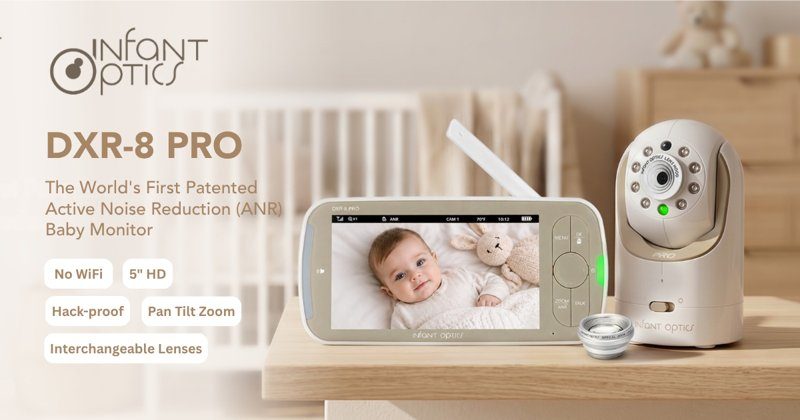 Image: Infant Optics
The DXR-8 PRO is one of the best-selling non-WiFi baby monitors. Infant Optics lists it at $199.99 with one camera, a 5-inch 720p screen, Active Noise Reduction and an interchangeable lens system. An add-on camera costs $99.99, and the parent unit supports up to four.
With two cameras, the DXR-8 PRO works in scan mode: the screen cycles between cameras rather than showing both at once. That's fine for many families, especially if one child sleeps reliably. But you only see one room at a time.
The total for two cameras, about $300 at list price, is close to the split-screen SS bundle. So the DXR-8 PRO makes most sense if you already own one, or want to spread the cost.
- ✓Proven, widely reviewed monitor
- ✓Add cameras as your family grows
- ✓Active Noise Reduction
- ✓No WiFi or app
- ✕Scan mode only; no split screen
- ✕Two-camera total similar to the SS
- ✕720p screen
VTech VM819-2 (2 cameras)
VTech's VM819-2 bundles two cameras with a small 2.8-inch parent screen. It uses a non-WiFi digital link, night vision, two-way talk and a room temperature sensor.
With two cameras, it uses a Patrol mode that alternates between camera views about every 10 seconds; there's no split screen. The smaller screen and lower resolution are the trade-offs for a much lower price than the Infant Optics options.
- ✓Low price for two cameras
- ✓No WiFi or app needed
- ✓Temperature sensor and two-way talk
- ✕Small 2.8-inch screen
- ✕No split screen
- ✕Lower video quality
Buying guide: setting up a monitor for two kids
Place each camera well
Mount cameras on the wall or a stable shelf with a clear view of the crib or bed, and keep cords at least 3 feet away. For a toddler in a big-kid bed, aim the camera to include the door, so you can see if they get up.
Set sound levels for each room
Toddlers often talk or move in their sleep. If your monitor allows it, set a lower sensitivity for the older child's camera so you aren't woken by every noise.
Plan for charging
Parent units usually run on rechargeable batteries. Keep a charger by your bed and one in the main living area.
Think about the next few years
A camera that works for a baby can follow them into the toddler and preschool years. Buy a system that supports enough cameras for your family's plans.
Safety notes
- Cord safety: The CPSC warns that monitor cords pose a strangulation risk. Keep cords at least 3 feet from cribs and beds, and use cord covers.
- Not a medical device: These monitors don't measure breathing or heart rate and don't prevent SIDS.
- Safe sleep: Back to sleep, firm flat surface, no soft bedding, per AAP guidance.
- Check on toddlers' rooms: Anchor furniture, cover outlets and secure window cords once your older child is moving around at night.
More on baby monitors: see Nanit Pro Baby Monitor Review: Is It Worth It?.
Part of our Sleep & Nursery section. Our main guide covers best baby bassinets.
FAQ
What is the best non-WiFi baby monitor for two kids? The Infant Optics DXR-8 PRO SS is our top pick because it shows two cameras on a split screen and plays audio from both rooms at once, without WiFi. The VTech VM819-2 is a cheaper two-camera option with patrol mode.
Can a baby monitor show two cameras at once? Some can. Split-screen monitors like the DXR-8 PRO SS show both camera feeds together. Many others, like the standard DXR-8 PRO and VTech VM819-2, switch between cameras in scan or patrol mode.
Can I add a second camera to my DXR-8 PRO? Yes. Infant Optics sells an add-on camera for the DXR-8 PRO, listed at $99.99, and the parent unit supports up to four cameras. The standard DXR-8 PRO switches between cameras rather than showing them side by side.
Are non-WiFi baby monitors more secure? Non-WiFi monitors use a closed radio link between camera and parent unit, so there is no internet connection or cloud account to attack. That removes many common risks of WiFi cameras, though no device is perfectly private.
Can I watch a non-WiFi baby monitor on my phone? No. Non-WiFi monitors only work with their own parent unit, within its range. If you need to check in from work or a trip, you need a WiFi monitor.
What range do non-WiFi monitors have? Range depends on the model and your home. Walls, floors and other electronics reduce it. Test the monitor in the rooms where you'll use it during the return window.
Should toddlers and babies share one monitor? Many families use one parent unit with a camera in each room. A split-screen monitor makes this easier, since you can see both kids without switching.
Do I need a monitor for a toddler? Not always. Many parents keep one until their child sleeps reliably and can leave the bed safely. It helps with early wake-ups, illness and transitions from crib to bed.
Related reviews
More in Sleep & Nursery
Bilibo Review: Open-Ended Rocking Shell for Active Play
Bilibo review: an open-ended rocking shell for indoor and outdoor active play. Who loves it and who will not. Research-based, not tested.
Best Travel Cribs and Play Yards for Flying and Visits
Travel cribs and play yards compared by packed weight, fold size and limits, with five researched picks and the CPSC rule on never adding…
Best Baby Sleep Sacks by TOG Rating (2026)
Sleep sacks compared by TOG, fabric and fit: HALO cotton, Kyte bamboo, Woolino merino and more, with a TOG-to-room-temperature chart and…