

In this guide
- Quick picks
- What real owners say: the big takeaways
- How we picked
- Comparison table
- Feature-by-feature comparison
- Infant Optics DXR-8 PRO
- eufy SpaceView Pro
- VTech VM819
- Nanit Pro
- Our guides on baby monitors
- FAQ
- Buying guide: non-WiFi vs WiFi baby monitors
- WiFi monitor security tips
- Which monitor is right for you?
- Safety notes
- Related reviews
Reader-supported: we may earn a commission from links on this page. Full disclosure
Updated: November 2026 · Researched from manufacturer specs, safety standards and public buyer reviews.
A baby monitor is one of the few baby products you use every single night, so the details matter: how clear the picture is at 2 a.m., how long the battery lasts and whether you trust who else might be able to see the feed.
The big decision is non-WiFi or WiFi. Non-WiFi monitors use a closed connection between the camera and a handheld screen, with no app or account. WiFi monitors let you check in from your phone anywhere and often add sleep tracking, but they depend on your home network and an app. Below are four popular picks across both styles.
Safety note: No baby monitor can prevent SIDS. Follow safe sleep guidance from the American Academy of Pediatrics, and mount the camera and cords well out of your baby's reach.
Quick picks
Infant Optics DXR-8 PRO
- Type
- Non-WiFi, 5" screen
eufy SpaceView Pro
- Type
- Non-WiFi, 5" screen
VTech VM819
- Type
- Non-WiFi, 2.8" screen
Nanit Pro
- Type
- WiFi, app-based, 1080p
What real owners say: the big takeaways
We read Amazon reviews, parenting forum threads and Reddit discussions. These patterns kept coming up:
- Privacy is a real reason parents choose non-WiFi. Many say they like that there's no app, account or internet connection involved.
- Battery life on the handheld screen varies a lot. It's one of the most common complaints across the category, and it can drop as the battery ages.
- Range depends on your home. Thick walls and multiple floors cut range, so owners in bigger homes report more signal drops.
- WiFi monitors shine when you're away from the nursery. Parents like checking in from work or a date night, but some complain about subscriptions and app glitches.
- Night vision quality matters more than daytime specs. You'll mostly use it in the dark, and reviewers notice blurry night video quickly.
How we picked
We did not buy or test these monitors. Here is how we chose them:
- Started with what parents actually buy. We looked at the best-selling, most-reviewed video baby monitors on Amazon.
- Read the listings closely. We pulled screen size, resolution, connection type, range and battery claims straight from manufacturer listings.
- Read the complaints, not just the praise. We looked for patterns in critical reviews and in parent forum discussions.
- Covered both connection styles. We included non-WiFi and WiFi picks so you can choose based on privacy and how you'll use it.
We'll update this guide as listings and owner feedback change.
What we weighed most. We started with reliability: a monitor that drops its connection or dies before morning isn't doing its job. We gave the most weight to connection type (closed non-WiFi links vs. WiFi apps, and the privacy trade-offs of each), how stable the link and range are according to owner reports, screen and night vision quality, and battery life on the parent unit. After that came pan/tilt and zoom, two-way talk, temperature sensors, multi-camera support, subscription costs for app features, and price.
Sources. Specs come from maker listings. Safety context comes from AAP safe-sleep guidance and CPSC cord warnings. We did not set up or range-test these monitors.
How we score: SproutPicks Scores are our own editorial ratings, based on published specs, safety certifications and standards, and patterns across verified owner reviews. We don't hands-on test every product, and these scores are not Amazon ratings. Each score includes sub-scores for Safety, Value and Ease of Use.
Comparison table
| Monitor | Connection | Screen / view | Resolution | Notable extras | Score |
|---|---|---|---|---|---|
| Infant Optics DXR-8 PRO | Non-WiFi (FHSS) | 5" handheld | 720p | Active noise reduction, interchangeable lenses, pan/tilt, up to 4 cameras | 9.2/10 |
| eufy SpaceView Pro | Non-WiFi | 5" handheld | 720p | Pan/tilt, two-way talk, lullabies (wide-angle lens sold separately) | 8.8/10 |
| VTech VM819 | Non-WiFi | 2.8" handheld | 320 x 240 (QVGA) | Up to 19 hr video battery, 1,000 ft range, temperature sensor | 8.4/10 |
| Nanit Pro | WiFi, app | Your phone | 1080p | Sound and motion alerts, sleep tracking (some features need a subscription) | 8.3/10 |
Feature-by-feature comparison
| Feature | Infant Optics DXR-8 PRO | eufy SpaceView Pro | VTech VM819 | Nanit Pro |
|---|---|---|---|---|
| Connection | Closed FHSS, no WiFi | No WiFi | No WiFi | WiFi + app |
| Viewer | 5" 720p | 5" 720p | 2.8" | Your phone, 1080p |
| Pan/tilt | Yes | Yes | No | Fixed overhead view |
| Works away from home | No | No | No | Yes |
| Subscription | No | No | No | Optional, for some features |
| Main owner complaint | Battery on older units | Battery over time | Small screen | Subscription, app hiccups |
| Best for | Privacy and picture quality | Big screen without an app | Budget, long battery life | Sleep data, remote viewing |
Infant Optics DXR-8 PRO
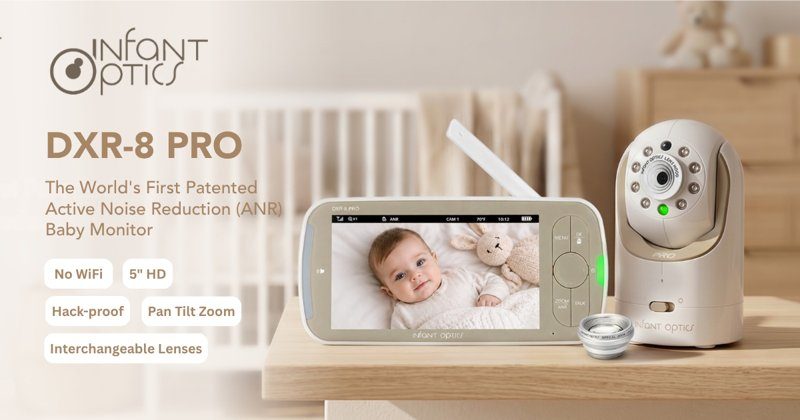 Image: Infant Optics
The DXR-8 PRO uses a closed, second-generation FHSS connection, so it never touches the internet. It has a 5-inch 720p screen, pan and tilt, two-way talk and an optical zoom lens, with a wide-angle lens sold separately. Its active noise reduction is designed to filter out steady background sounds like fans and white noise machines. You can add up to four cameras, and the battery can be replaced.
- ✓No WiFi, app or account
- ✓Noise reduction helps if you run a sound machine
- ✓Interchangeable lenses and a replaceable battery
- ✕No phone viewing when you're away from home
- ✕More expensive than basic non-WiFi monitors
- ✕Some owners report the handheld battery fading over time
eufy SpaceView Pro
The SpaceView Pro has a 5-inch 720p screen, pan and tilt, two-way talk, night vision and built-in lullabies, all without an app. The included lens is standard, and a wide-angle lens is sold separately.
- ✓Large screen with no WiFi needed
- ✓Pan and tilt from the handheld unit
- ✓A popular, well-reviewed alternative to pricier monitors
- ✕Wide-angle lens costs extra
- ✕Some owners mention signal drops at the edge of range
VTech VM819
The VM819 is a no-WiFi monitor with a 2.8-inch screen, night vision, two-way talk, a temperature sensor and lullabies. VTech lists up to 19 hours of video battery life and up to 1,000 feet of range.
- ✓Long listed battery life
- ✓Temperature sensor helps you keep the nursery comfortable
- ✓Simple to set up and use
- ✕Small screen
- ✕No pan and tilt
- ✕Picture is less detailed than on the 5-inch picks
Nanit Pro
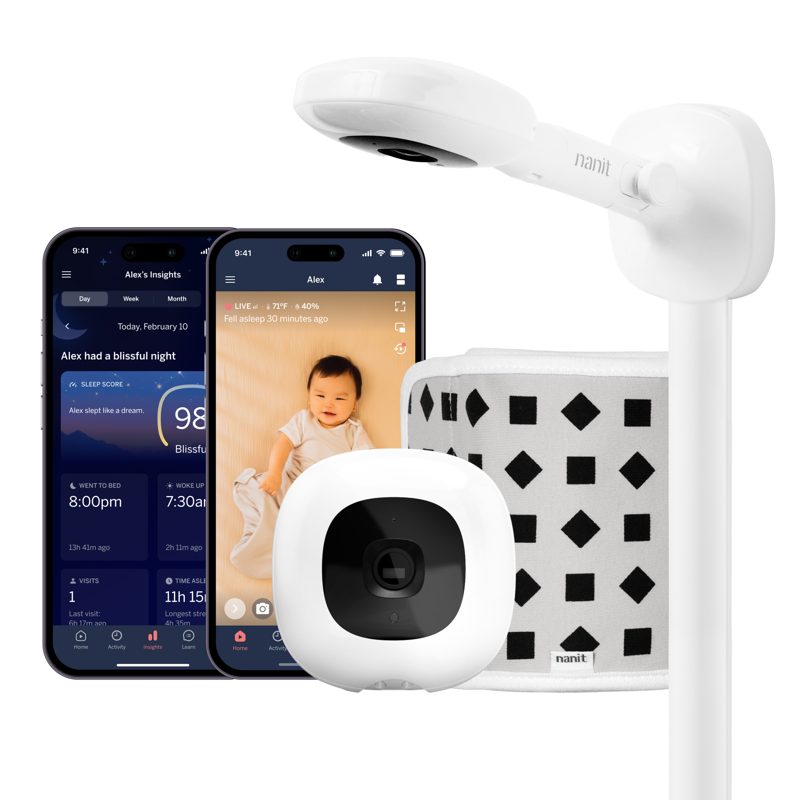 Image: Nanit
The Nanit Pro streams 1080p video over WiFi to an app, with two-way audio, night vision and sound and motion notifications. Nanit also offers sleep tracking and breathing motion monitoring with its breathing wear, which comes in some bundles. Some features require a paid subscription. This version comes with a wall mount.
- ✓Watch from anywhere on your phone
- ✓Sharp 1080p video from an overhead view
- ✓Sleep insights that many parents find useful
- ✕Depends on your WiFi and the app
- ✕Some features cost extra through a subscription
- ✕Wall mounting takes more setup than a tabletop camera
Our guides on baby monitors
- Best Non-WiFi Baby Monitor for Two Kids (Split Screen Picks)
- Nanit Pro Baby Monitor Review: Is It Worth It?
- Nanit vs Owlet: Which Smart Baby Monitor Is Right for You?
FAQ
Are non-WiFi baby monitors safer? They don't connect to the internet, so they can't be reached remotely through an app or account. WiFi monitors can be secure too, but use a strong password and keep the app and firmware updated.
Do I need a video monitor, or is audio enough? Audio-only monitors work for many families. Video helps you check whether your baby is awake without opening the door.
Can a baby monitor prevent SIDS? No. Monitors aren't medical devices. Follow AAP safe sleep guidance: baby on their back, on a firm flat surface, with nothing else in the crib.
Where should I put the camera? Mount it or place it at least 3 feet from the crib, with every cord well out of reach.
How far from the crib should a baby monitor be? Keep the camera and its cord at least 3 feet away from the crib, per CPSC guidance.
Can I use my phone as a baby monitor? WiFi monitors use your phone as the viewer. Using an old phone with an app works in a pinch, but dedicated monitors are more reliable overnight.
How long will we use a baby monitor? Many families use one into the toddler and preschool years, especially after the move to a toddler bed.
What is the best non-WiFi baby monitor for travel? Any of our non-WiFi picks works without hotel WiFi because the camera links straight to the parent unit. The VTech VM819 is the smallest, with a 2.8-inch screen and up to 19 hours of video battery life per VTech. The DXR-8 PRO and SpaceView Pro have bigger 5-inch screens but take more space in a bag.
Can a non-WiFi monitor watch two kids? Some can. Infant Optics and eufy sell extra cameras that pair with one parent unit. Check the listing for how many cameras your model supports before buying.
Buying guide: non-WiFi vs WiFi baby monitors
1. WiFi vs. non-WiFi
Non-WiFi monitors use a closed radio link between the camera and a dedicated parent unit. They don't go online, which many parents prefer for privacy and simplicity, but you can't watch from work or a date night. WiFi monitors stream to an app from anywhere and often add sleep analytics, but they depend on your network and the maker's security practices.
2. Screen and picture
A 5-inch 720p screen is easy to read at a glance. Smaller screens save money and battery. Night vision quality matters most, since you'll mostly watch in the dark.
3. Range and battery
Walls, floors and appliances reduce range. Check owner reports from homes like yours. Parent-unit battery life matters if you carry it around the house or keep it on your nightstand without a cord.
4. Audio
Many parents rely on audio more than video. Noise reduction filters out fan or white-noise hiss so you hear your baby. Two-way talk helps with toddlers.
5. Expandability
If you'll have two children in separate rooms, check how many cameras the parent unit supports and how it switches between them.
6. Subscriptions
Some WiFi monitors keep video history, sleep insights or breathing alerts behind a subscription. Compare the total cost over two to three years.
WiFi monitor security tips
- Use a strong, unique password for the monitor account, and turn on two-factor authentication if it's offered.
- Keep the camera's firmware and app updated.
- Secure your home WiFi with a strong password and current router firmware.
- Check the maker's privacy policy for how video and data are stored.
Which monitor is right for you?
For privacy, sharp picture and pan/tilt without an app, the Infant Optics DXR-8 PRO is the all-around pick, though owners of older units report fading batteries. The eufy SpaceView Pro is a strong no-app alternative with a large screen. On a budget, the VTech VM819 offers long battery life at the cost of a small screen. If you want to watch from anywhere and like sleep data, the Nanit Pro delivers, but factor in subscription costs and WiFi dependence.
Safety notes
- Keep cords out of reach. The CPSC has warned about strangulation from monitor cords. Keep the camera and all cords at least 3 feet from the crib, and use cord covers or wall mounts as directed.
- Never put the camera in or on the crib unless it's a mount designed for that purpose and used as instructed.
- A monitor doesn't prevent SIDS. The AAP advises against relying on consumer cardiorespiratory or breathing monitors to reduce SIDS risk. Follow safe-sleep practices: back to sleep, a firm and flat surface, and nothing soft in the crib.
- Batteries: Keep parent units and spare batteries away from children.
- Check for recalls at CPSC.gov/Recalls.
Related reviews
More in Sleep & Nursery

Best Baby Swaddles (2026)
Six swaddles compared on fit, TOG, hip room and price, plus the AAP rule to stop at the first signs of rolling and why weighted swaddles…
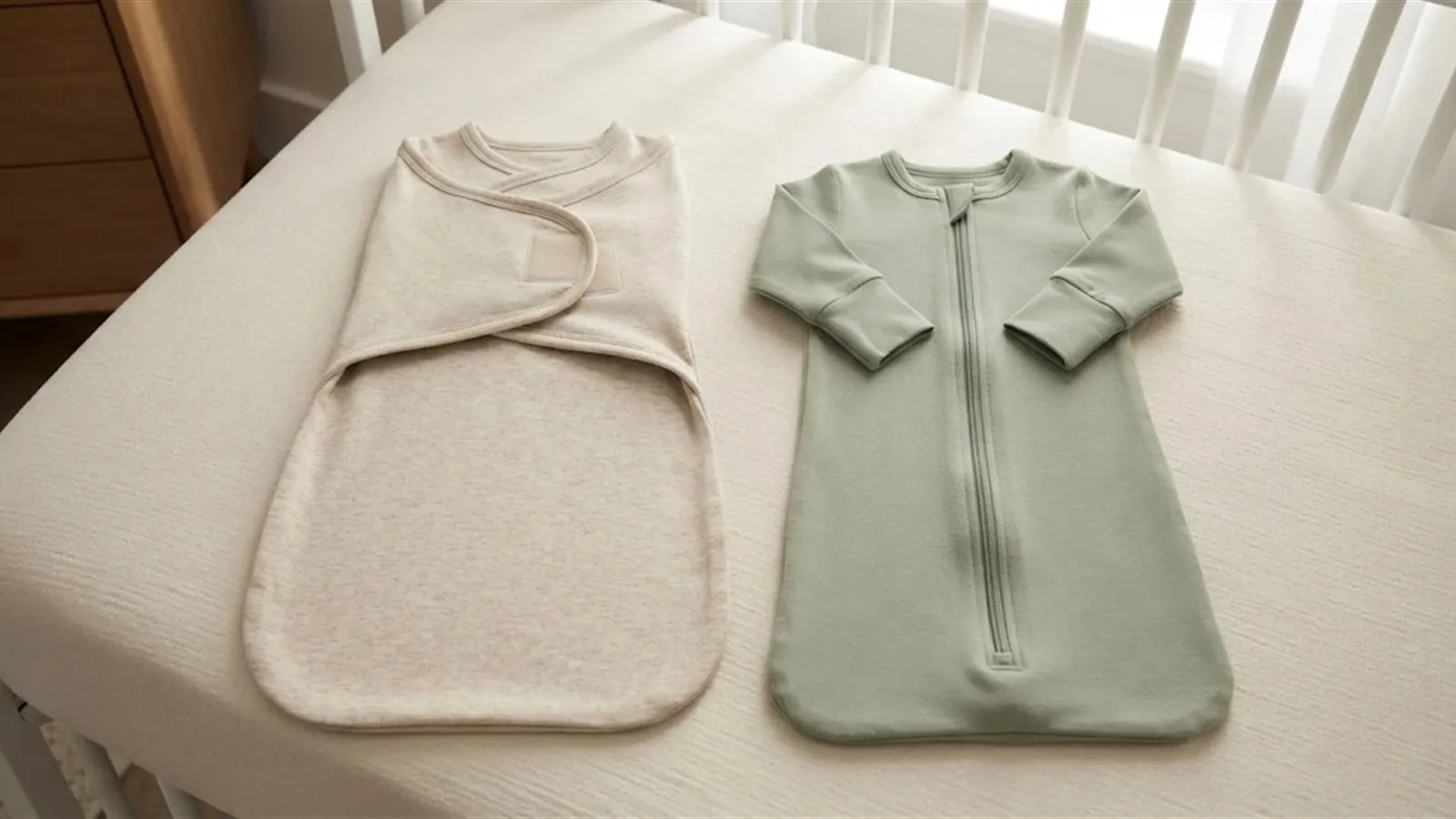
HALO SleepSack Swaddle vs Love to Dream Swaddle Up
HALO SleepSack Swaddle vs Love to Dream Swaddle Up: wings vs arms-up, TOG, sizes, hip-healthy fit, when to stop swaddling and why weighted…
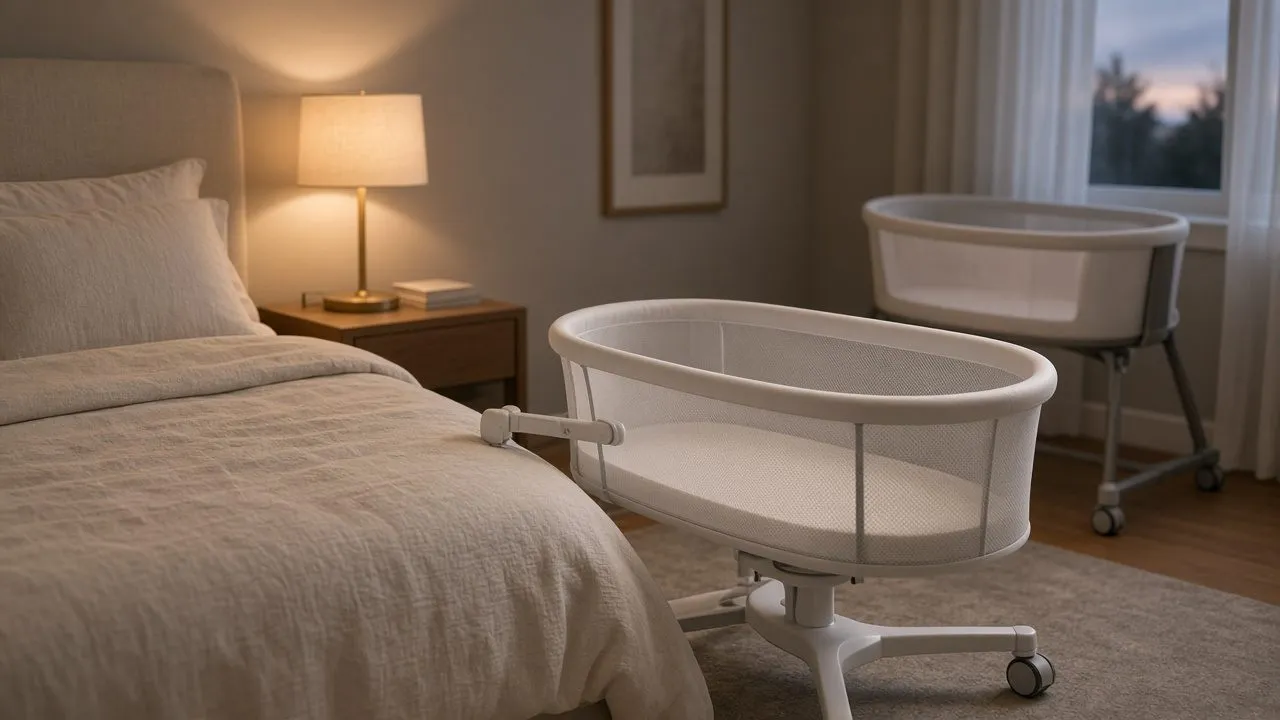
Halo BassiNest vs SNOO: Alternatives Compared
Halo BassiNest vs SNOO compared, plus Cradlewise and Newton: bedside swivel vs smart motion, FDA status, price bands and who should buy…