
In this guide
- Quick picks
- Comparison at a glance
- How we picked
- Lamicall Headrest Tablet Mount
- Long-arm center headrest mounts
- Strap-on headrest tablet cases
- Kids' foam tablet case with handle + strap
- Amazon Fire Kids tablet with Kid-Proof Case
- Buying guide: car headrest tablet holder for kids
- Who should buy what
- Common mistakes to avoid
- Care and longevity
- Head to head: Lamicall Headrest Tablet Mount vs Long-arm center headrest mounts
- What buyers say most often
- Questions to ask before you buy
- Our verdict
- Safety notes
- Price notes (checked Nov 5, 2026)
- FAQ
- Related reviews
Reader-supported: we may earn a commission from links on this page. Full disclosure
Updated: August 2026 · Researched from manufacturer specs, safety standards and public buyer reviews.
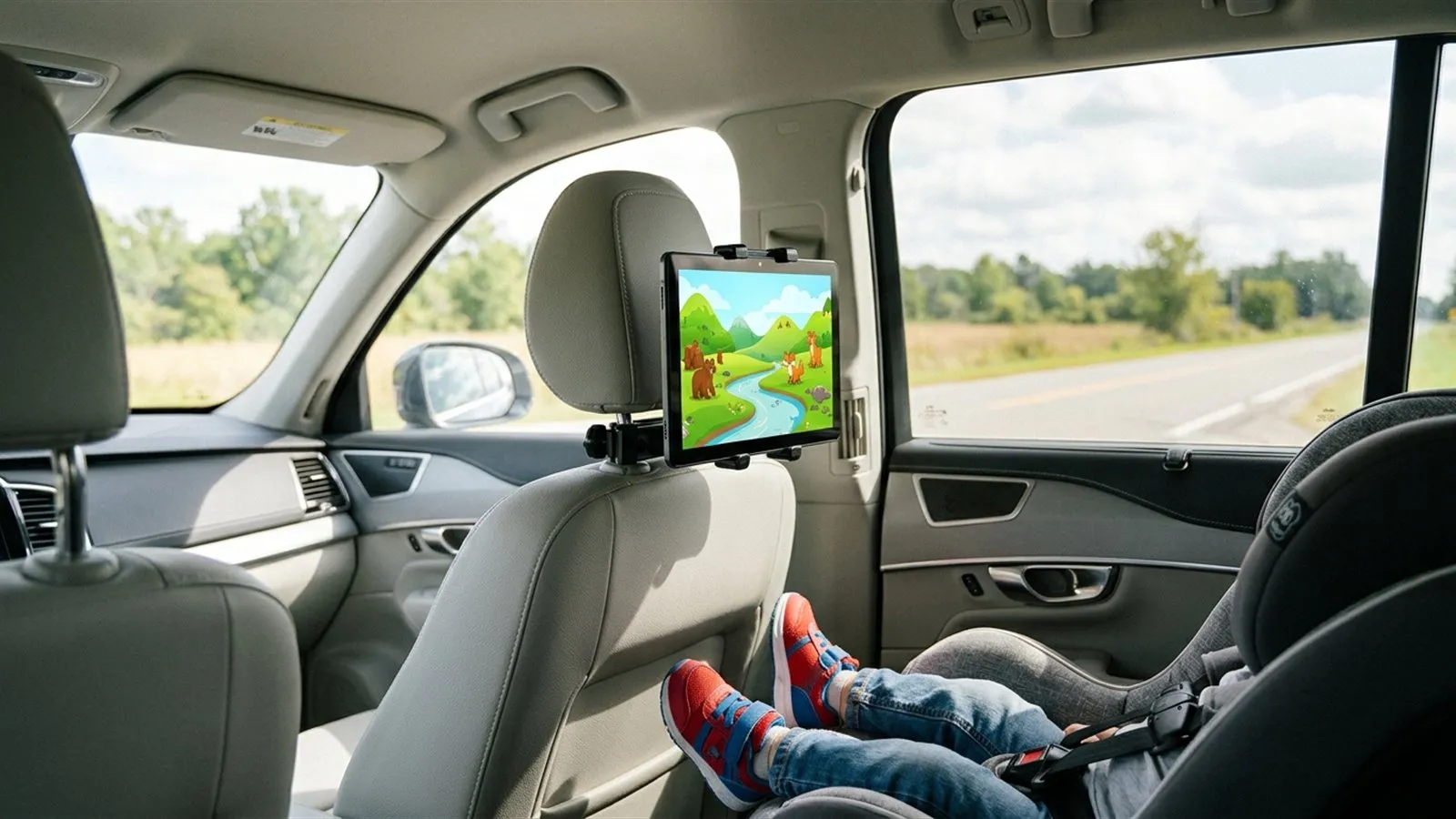
Late-summer road trips are where a headrest tablet holder pays for itself: kids watch at eye level instead of looking down, and the tablet is not sliding around the back seat. The trade-off is that a tablet is a hard, heavy object in the cabin, so how firmly the holder grips matters more than any feature list.
The short answer: For most cars, a headrest-post clamp mount such as the Lamicall holder is the steadiest option. Choose a strap-on case-style holder if your headrests do not have exposed posts, and a kids' foam tablet case plus a strap if you want something simpler. We researched manufacturer specs, safety guidance and public buyer reviews; we did not hands-on test these products.
August is back-to-school and last-road-trip season, so this guide focuses on what holds up to daily school-year or travel use. Every pick below carries a SproutPicks Score built from published specs and review patterns, not from star ratings.
Quick picks
Lamicall Headrest Tablet Mount
- Mount
- Headrest post clamp
Long-arm center headrest mounts
- Mount
- Post-mounted center arm
Strap-on headrest tablet cases
- Mount
- Strap around headrest
Kids' foam tablet case with handle + strap
- Mount
- Case + strap
Amazon Fire Kids tablet with Kid-Proof Case
- Mount
- Tablet + case
Comparison at a glance
| Pick | Best for | Key feature | Score | Main trade-off |
|---|---|---|---|---|
| Lamicall Headrest Tablet Mount | Best overall clamp mount | Headrest post clamp | 8.9/10 | Needs exposed headrest posts |
| Long-arm center headrest mounts | Best for two kids | Post-mounted center arm | 8.2/10 | More wobble |
| Strap-on headrest tablet cases | Best for fixed headrests | Strap around headrest | 8.0/10 | Viewing angle is fixed |
| Kids' foam tablet case with handle + strap | Best budget / simple | Case + strap | 7.6/10 | Least stable |
| Amazon Fire Kids tablet with Kid-Proof Case | Best tablet to pair with a mount | Tablet + case | 8.3/10 | Thick case may not fit some mounts |
How we picked
Per our research method:
- Started from the real search "best car headrest tablet holder for kids" and related questions parents ask.
- Read manufacturer listings and product pages for specs, age ranges and care instructions.
- Checked relevant safety guidance (CPSC, ASTM, NHTSA or AAP where it applies) and recall databases.
- Read patterns across public buyer reviews: what fails, what parents keep praising and what gets returned.
- Scored Safety, Value and Ease of Use editorially, without claiming lab or field testing.
How we score: each SproutPicks Score averages three sub-scores (Safety, Value, Ease of Use) on a 10-point scale. A higher score means the product matches the needs of most families best on paper and in buyer feedback; it is not a guarantee it suits your child. We favor products from brands with clear specs and responsive customer support, and we mark the trade-offs honestly so you can decide which ones matter to you.
Lamicall Headrest Tablet Mount
Lamicall's headrest mounts clamp onto the metal posts of the front seat headrest and hold the tablet in spring-loaded arms. Clamping to the posts usually feels more rigid than straps.
Check the listed device range against your tablet in its case; thick kids' foam cases may not fit.
Where it fits: Cars with exposed headrest posts and tablets within the device range the seller lists. Among the 5 options here, its strongest point is "firm post clamp", and the trade-off to weigh is "needs exposed headrest posts".
- ✓Firm post clamp
- ✓Adjustable viewing angle
- ✓Wide device range
- ✕Needs exposed headrest posts
- ✕Hard plastic arms
- ✕Thick cases may not fit
Long-arm center headrest mounts
Long-arm mounts clamp to one headrest post and extend toward the center so two kids can watch. The longer the arm, the more it can wobble and the further a hard object extends into the cabin.
Where it fits: Two kids sharing one screen between the front seats. Among the 5 options here, its strongest point is "one screen for two kids", and the trade-off to weigh is "more wobble".
- ✓One screen for two kids
- ✓Flexible positioning
- ✕More wobble
- ✕Longer hard arm in the cabin
Strap-on headrest tablet cases
These are fabric or soft-shell cases with a clear touch window that strap around the headrest. They hold the tablet flat against the seat, closer to the headrest than an arm does.
Where it fits: Cars without headrest posts or families who want a soft-sided option. Among the 5 options here, its strongest point is "works without posts", and the trade-off to weigh is "viewing angle is fixed".
- ✓Works without posts
- ✓Soft-sided
- ✓Often include pockets
- ✕Viewing angle is fixed
- ✕Touch through plastic window can be fiddly
- ✕Fit is tablet-size specific
Kids' foam tablet case with handle + strap
Thick EVA foam kids' cases (sold for iPad and Fire tablets) protect from drops; some include a handle you can loop to the headrest with a strap. It is the simplest option but the least stable.
Where it fits: Families who already use a chunky kids' case and just need a way to hang it. Among the 5 options here, its strongest point is "protects tablet outside the car too", and the trade-off to weigh is "least stable".
- ✓Protects tablet outside the car too
- ✓Usually inexpensive
- ✕Least stable
- ✕Can swing on turns
Amazon Fire Kids tablet with Kid-Proof Case
Amazon sells Fire Kids editions with a kid-proof case, parental controls and a period of kids' content subscription. Their case is thick, so check holder compatibility before buying both.
Where it fits: Families who need the tablet too, not only the holder. Among the 5 options here, its strongest point is "kid case and controls included", and the trade-off to weigh is "thick case may not fit some mounts".
- ✓Kid case and controls included
- ✓Offline downloads for road trips
- ✕Thick case may not fit some mounts
Buying guide: car headrest tablet holder for kids
Post clamp vs strap
Post clamps are steadier. Straps are the fallback when headrests have no exposed posts.
Check tablet size with the case on
Mounts list a device range. Measure your tablet inside its case, especially thick foam kids' cases.
Download before you drive
Download shows and games offline before leaving; streaming over a hotspot on highways drains batteries and data.
Power and cables
Route charging cables away from the child's neck and car seat straps. Use short cables.
Budget versus premium
The premium options usually win on materials, fit and finish, and customer support. The budget options often do the core job just as well for occasional use. If you will use the product every day for a year or more, spending up for durability tends to pay off; for a backup, a second home or grandparents' house, the budget pick is usually enough.
Who should buy what
- Best overall clamp mount: Lamicall Headrest Tablet Mount. Skip if your headrests are fixed with no posts.
- Best for two kids: Long-arm center headrest mounts. Skip if a single child rides behind each seat; two separate mounts are steadier.
- Best for fixed headrests: Strap-on headrest tablet cases. Skip if you need angle adjustment.
- Best budget / simple: Kids' foam tablet case with handle + strap. Skip for long highway trips where stability matters.
- Best tablet to pair with a mount: Amazon Fire Kids tablet with Kid-Proof Case. Skip if you already own a tablet.
Common mistakes to avoid
- Buying by age label alone. Age ranges on car travel gear are a starting point. Your child's size, skills and habits matter more.
- Skipping the instructions. Many of the complaints we read in buyer reviews trace back to installation, assembly or care steps that were skipped.
- Ignoring cleaning. Anything kids use daily gets dirty fast. Pick designs you can actually clean in the time you have.
- Not checking recalls. Register products where the maker offers it, so you hear about recalls directly.
- Buying too many at once. Start with one, see how your child uses it, then add more.
Care and longevity
Follow the manufacturer's care label, inspect for wear every few weeks, and replace parts (straps, seals, valves, filters) when they show damage rather than waiting for a failure. Keep receipts and register products; many brands only honor warranties with proof of purchase. When your child outgrows an item, check the recall list before passing it on or reselling it.
Head to head: Lamicall Headrest Tablet Mount vs Long-arm center headrest mounts
These two cover most families. Lamicall Headrest Tablet Mount is our pick for cars with exposed headrest posts and tablets within the device range the seller lists. Its advantages: firm post clamp, adjustable viewing angle, wide device range. Its drawbacks: needs exposed headrest posts, hard plastic arms, thick cases may not fit.
Long-arm center headrest mounts makes more sense for two kids sharing one screen between the front seats. It brings one screen for two kids, flexible positioning, but buyers should weigh more wobble, longer hard arm in the cabin.
In short: if you value firm post clamp most, start with Lamicall Headrest Tablet Mount. If one screen for two kids matters more, choose Long-arm center headrest mounts. Both scored within a point of each other (8.9 vs 8.2), so neither is a wrong choice.
What buyers say most often
Across public reviews of the products in this guide, the same themes repeat. We summarize them here so you can spot the issues that matter for your family before you buy.
- Lamicall Headrest Tablet Mount: Buyers like stability and easy angle adjustment. Complaints mention fit with very thick cases.
- Long-arm center headrest mounts: Parents like sharing; some say the arm sags on bumpy roads.
- Strap-on headrest tablet cases: Buyers like the simplicity; some find the window glare annoying.
- Kids' foam tablet case with handle + strap: Parents value drop protection; swinging is the main complaint.
- Amazon Fire Kids tablet with Kid-Proof Case: Parents like the case and controls; complaints mention app limits and the subscription upsell.
Review patterns are not proof. Some complaints come from misuse or missed instructions, and very positive reviews can reflect first-week excitement. We weigh repeated, specific comments more heavily than one-off praise or anger.
More on road-trip car gear: see car seat gap fillers and baby car mirrors.
Questions to ask before you buy
- Post clamp vs strap? Post clamps are steadier. Straps are the fallback when headrests have no exposed posts.
- Check tablet size with the case on? Mounts list a device range. Measure your tablet inside its case, especially thick foam kids' cases.
- Download before you drive? Download shows and games offline before leaving; streaming over a hotspot on highways drains batteries and data.
- Power and cables? Route charging cables away from the child's neck and car seat straps. Use short cables.
- Can I return it? Check the retailer's return window before you open packaging, especially for bulky items.
- Is there a recall? Search the product name on the CPSC recall site before buying, and again if you buy used.
Our verdict
For most families, Lamicall Headrest Tablet Mount is the best place to start: it scored 8.9/10 on our research-based scale and has the fewest repeated complaints for its use case. If your situation matches one of the other "best for" labels above, the alternative will serve you better. Whatever you choose, follow the safety notes, keep the receipt, and register the product so you hear about any recall.
Safety notes
- A tablet can become a projectile in a crash. Mount it firmly and keep it out of reach of the child's face where possible.
- No federal crash standard covers aftermarket tablet holders.
- Keep cables short and away from the child.
- Check your car seat manual on accessories, and NHTSA recalls for your seat.
Price notes (checked Nov 5, 2026)
Price note: We do not list exact prices here because they change often by seller and season. The Check price buttons go to live listings, so you see the price at the moment you click. Budget picks above are typically the lower-cost options in their category, and premium picks the higher-cost ones; compare at least two retailers and check the price-compare box at the bottom of this page. Checked Nov 5, 2026. Prices change often; check the current price before you buy.
FAQ
Are headrest tablet holders safe? They are not crash-tested to a federal standard. Firm post clamps hold best. Many parents use them; keep the tablet tightly secured.
Will a headrest mount fit an iPad? Most list iPad sizes in the device range. Measure your iPad with its case.
What if my car has no headrest posts? Use a strap-on case-style holder that wraps around the headrest.
How do I keep a kids' tablet charged on a road trip? Use a car USB-C charger with a short cable routed away from the car seat, or a power bank in the seat pocket.
Is screen time in the car okay? That is a family decision. Downloaded, age-appropriate content and breaks every couple of hours help.
Related reviews
- Best Backseat Car Organizers for Kids
- Best Kids Learning Tablets for Preschoolers
- Best Car Seat Protectors
- Best Car Window Shades for Babies
More in Car & Road-Trip Gear

How Long Can a Baby Stay in a Car Seat? The 2-Hour Rule
Where the 2-hour car seat rule comes from, what the AAP and Lullaby Trust say about breaks, why car seats aren't for sleep, and long-drive…

Holiday Travel with a Baby: Planes, Trains and Long Drives
Holiday travel with a baby by car, plane or train: AAP winter coat and drive-break advice, FAA car seat rules, TSA baby liquids, Amtrak…

Best Kids' Headphones (Volume-Limited)
The best volume-limited kids' headphones compared on 75 and 85 dB caps, battery and noise canceling, plus WHO safe listening advice and…